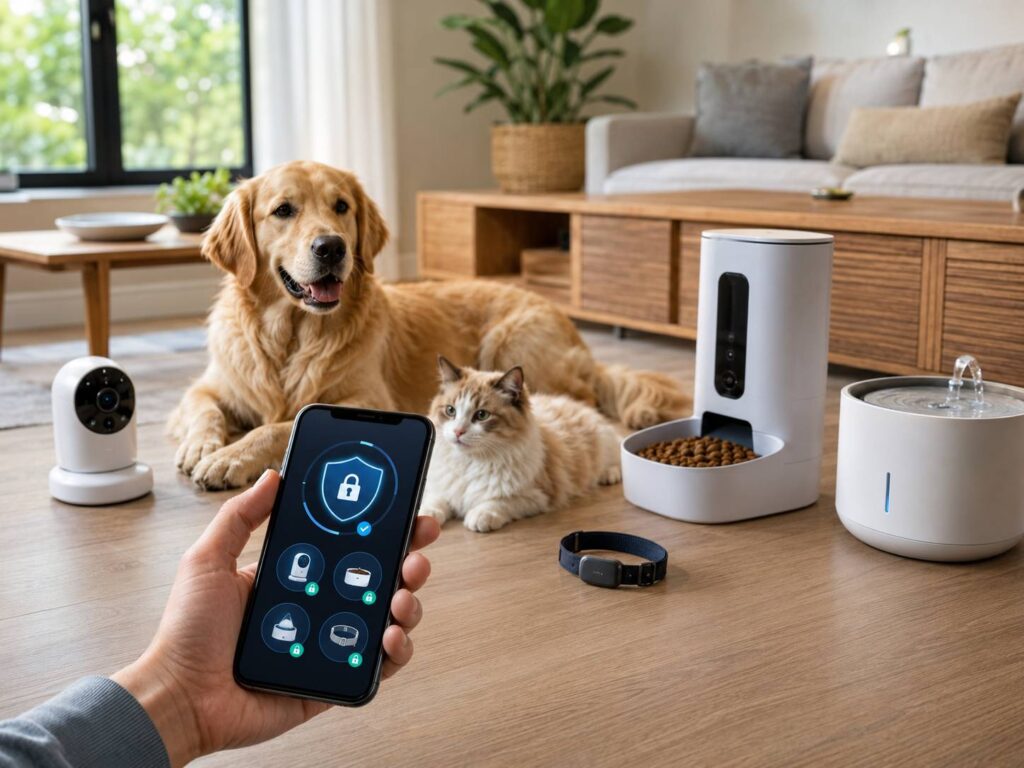
Smart pet cameras, GPS collars, feeders, fountains, litter boxes, and doors can make caring for a pet much easier. Still, each connected feature creates another place where personal information or device controls could be exposed.
A security problem might reveal video from inside your home, your pet’s location, feeding schedules, or times when nobody appears to be home. In some cases, it could also interrupt a device that your pet relies on.
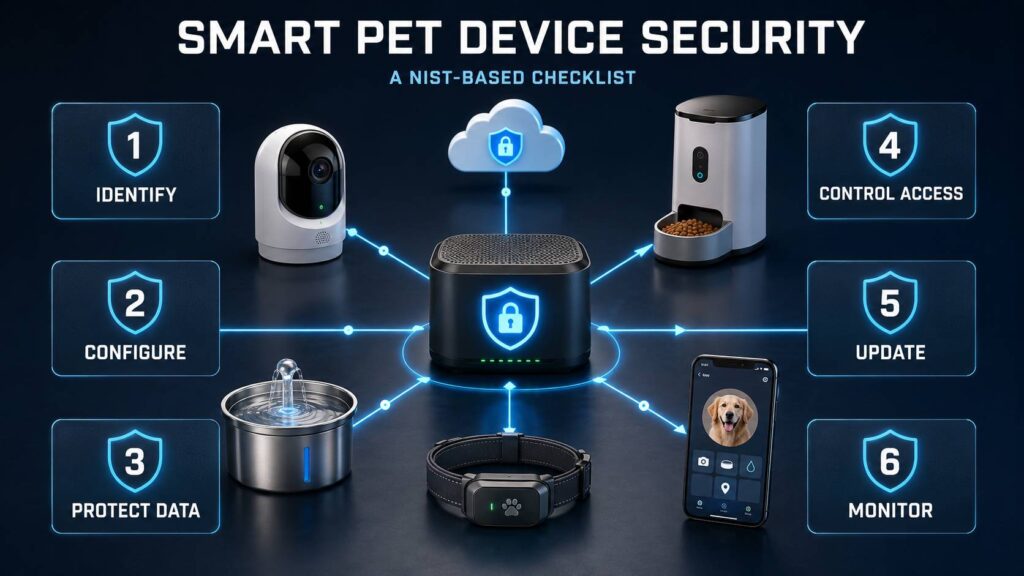
This smart pet device security checklist turns NIST guidance into practical questions. You can use it before buying new pet technology or to check the devices already in your home.
A Smart Pet Product Is More Than the Device in the Box
It is tempting to judge a pet camera or automatic feeder by looking only at its hardware. In reality, the physical device may be just one part of a much larger system.
A connected pet product can depend on:
- A mobile app
- A manufacturer account
- Cloud servers
- Bluetooth, Wi-Fi, cellular, Zigbee, or another connection
- A separate hub or gateway
- Third-party analytics and notification services
- A monthly or annual subscription
NIST treats these connected components as one IoT product. That makes sense because secure hardware cannot make up for an abandoned app or a poorly protected cloud platform.
For example, a GPS collar may protect its cellular connection with encryption. Yet someone who takes over your account could still view the collar’s location through the app. Likewise, a camera might encrypt its live stream but leave cloud recordings exposed through weak account controls.
So, when evaluating smart pet device security, look beyond the product sitting on your floor or attached to your pet. The app, cloud service, account system, and support policy matter just as much.
What NIST Expects From a Securable IoT Product
NIST’s consumer IoT guidance identifies six main technical capabilities. A connected product should support identification, secure configuration, data protection, access control, software updates, and awareness of its current security state.
NIST also covers the manufacturer’s responsibilities. Companies should provide documentation, security notifications, clear support information, and a way for customers or researchers to report vulnerabilities.
Updated guidance published in 2026 places more attention on the complete product lifecycle. Manufacturers should consider security before launch, maintain it after purchase, communicate with customers, and prepare for the product’s eventual retirement.
NIST uses the word “securable” rather than promising that an IoT device will always remain secure. No connected product can offer perfect protection in every situation. Instead, it should give both the manufacturer and the owner practical ways to manage predictable risks.
Smart Pet Device Security Checklist Before Buying
Product pages do not always answer detailed security questions. Even so, a responsible manufacturer should publish enough information for you to check the basics.
1. Identify Everything the Product Needs
Start by checking what the device requires beyond a wireless connection. Does it need an account, mobile app, cloud service, proprietary hub, or paid subscription?
Look for details such as:
- Supported Android and iOS versions
- Required wireless standards
- Whether essential functions work without internet access
- Whether the product requires a cloud subscription
- The exact model number
- The company responsible for the app and cloud service
- Whether the device works with third-party platforms
This information tells you what could stop working if an app disappears or a company shuts down its servers.
Local operation can improve reliability and reduce cloud exposure. However, local-only control does not automatically mean strong security. The device still needs protected communications, secure pairing, access controls, and software updates.
2. Check the Security Update Policy
A smart feeder or fountain may remain physically usable for years. Its software support could end much sooner, and that is where things get a little messy.
Before buying, try to find out:
- Whether the device receives security updates
- How those updates reach the product
- Whether updates install automatically
- How the company announces important patches
- How long it promises to support the model
- What happens when support ends
A statement such as “updates provided when necessary” gives you very little certainty. A defined support term or published end date is much more useful.
The device should also verify updates before installing them. That check helps prevent unauthorized or modified firmware from replacing legitimate software.
3. Look for Strong Account Protection
The companion account may control almost every product feature. As a result, protecting that account is just as important as securing the physical device.
Prefer services that offer:
- Unique passwords
- Multifactor authentication
- Passkeys, where available
- Separate accounts for household members
- Adjustable user permissions
- A list of logged-in devices or active sessions
- Remote sign-out
- Notifications for new logins and password changes
Avoid giving the same password to family members, dog walkers, or pet sitters. Separate access lets you remove one person later without changing credentials for everyone else.
Also, take a quick look at the password recovery process. Strong login protection will not help much if someone can easily take over the account through a weak recovery method.
4. Find Out What Data the Device Collects
Smart pet devices often gather information about more than your pet. A camera can capture conversations and daily routines. Meanwhile, a GPS tracker may reveal regular walks, frequently visited places, and periods when your house appears empty.
Depending on the product, it may collect:
- Live video
- Saved recordings
- Audio
- Precise location data
- Home address or Wi-Fi details
- Feeding and drinking patterns
- Activity and sleep measurements
- Health-related information
- Device identifiers
- Diagnostic and usage logs
Next, check how long the company keeps this information. You should also have a practical way to delete personal data, recordings, and location history.
Keep in mind that resetting the physical device may not erase information stored in the cloud. You might need to delete the data through the app or submit a separate account-deletion request.
5. Check How the Product Protects Data
NIST expects consumer IoT products to protect stored and transmitted data against unauthorized access, disclosure, and changes.
Look for clear information about:
- Encryption during transmission
- Protection for cloud-stored information
- Encryption for local storage or memory cards
- Secure device pairing
- Restricted access for company employees
- Data-retention controls
- Account and data deletion
- Protection for shared recordings or location links
A simple claim that a product “uses encryption” is not very helpful. It may describe only one connection while ignoring stored information or communication between other product components.
Of course, most buyers cannot personally verify every technical security claim. Clear documentation, independent certification, and a transparent security policy provide better evidence than a vague promise on the box.
6. Make Sure Unnecessary Features Can Be Disabled
A securable device should let its owner adjust security-related settings and restore safe defaults.
Useful controls may include:
- Disabling the microphone
- Turning off cloud recording
- Limiting location history
- Deactivating remote access
- Removing shared users
- Disconnecting third-party integrations
- Changing notification settings
- Resetting the device before resale
Try to grant only the permissions required for the features you use. For instance, a feeder app might need local network access during setup. It probably does not need permanent access to your contacts.
Physical controls are useful too. A visible camera shutter or microphone switch gives you a direct way to disable a sensitive sensor without searching through an app.
7. Check for Security and Activity Alerts
NIST describes this capability as cybersecurity state awareness. In everyday terms, the product should record or report unusual events that might indicate a problem.
Helpful features include:
- Alerts for new logins
- Password-change notifications
- Firmware update information
- A list of active sessions
- Feeding schedule change alerts
- Camera activation indicators
- Device offline warnings
- Repeated login failure alerts
Good notifications should give you enough information to respond. A generic message saying that “something changed” is less useful than an alert showing the device, account, time, and action involved.
Schedule-change alerts matter especially for feeders, smart doors, and other devices that perform physical actions. An unexpected change may come from an account problem or a household mistake. Either way, you will want to know.
8. See How the Company Handles Security Problems
A responsible manufacturer should offer a clear way to report vulnerabilities. It should also explain how customers receive information about breaches, security flaws, and available fixes.
Look for:
- A dedicated security contact
- A vulnerability disclosure policy
- A security advisory page
- Instructions for reporting suspected vulnerabilities
- Notifications about urgent security updates
- Clear end-of-support announcements
A normal customer support form is better than nothing. Still, it is not quite the same as a proper security-reporting process.
How to Secure a New Smart Pet Device
Good setup choices can lower your risk, even when the manufacturer handles most security tasks behind the scenes.
Use this checklist during installation:
- Update your router and phone before starting.
- Download the companion app from the official app store.
- Create a unique password and save it in a password manager.
- Enable multifactor authentication or a passkey.
- Install all available firmware and app updates.
- Turn on automatic updates if the product supports them.
- Review camera, microphone, location, Bluetooth, and notification permissions.
- Disable features and integrations you do not plan to use.
- Add household members through separate accounts.
- Enable login, offline, and configuration-change alerts.
- Record the model, serial number, purchase date, and support period.
- Test the manual controls in case the app or internet connection fails.
You can also place connected pet devices on an isolated IoT or guest network. This setup may limit their access to computers, network storage, and other sensitive equipment.
However, network isolation cannot protect a weak cloud account. Also, some guest networks still allow connected devices to communicate with each other. Check whether your router provides client isolation before depending on it.
Different Pet Devices Create Different Risks
The most important security questions depend on what a device can sense, record, or control.
Pet Cameras
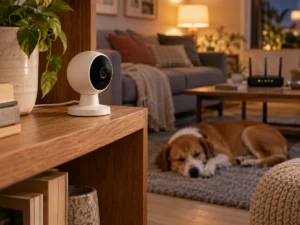
Pet cameras can capture far more than an animal sleeping on the sofa. Protect video, audio, stored clips, and shared accounts carefully.
Check for visible recording indicators and adjustable retention periods. Also, position the camera so it does not record bedrooms, computer screens, security keypads, or other private areas.
GPS Pet Trackers
Treat location history as sensitive personal information. Enable account alerts and regularly review who can see your pet’s position.
If you give temporary access to a pet sitter, remove it once it is no longer needed. You should also check whether shared tracking links expire automatically or continue working until someone disables them.
Smart Feeders and Pet Fountains
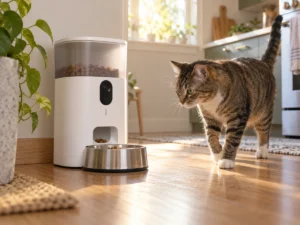
For feeders and fountains, cybersecurity overlaps with everyday reliability. Check how the product behaves during internet, power, battery, pump, or cloud-service failures.
For a real-world look at the practical details that matter in this category, including power, cleaning, and daily operation, see our guide to the PETLIBRO Dockstream Cordless Fountain. If a fountain or feeder includes connected functions, its app and account security should form part of the same reliability assessment.
Whenever possible, confirm that essential schedules remain stored locally. Also, make sure you can dispense food or provide water without the app.
Do not use a connected appliance as the only safeguard against missed food or water. Batteries, pumps, motors, sensors, Wi-Fi connections, apps, and cloud services can all fail without a cyberattack.
Automatic Litter Boxes
Review app permissions, cleaning controls, sensor behavior, error alerts, and shared access. Software security matters, but it cannot replace proper physical safety features.
Watch the device carefully during initial use. Also, follow the manufacturer’s pet-size, age, and weight requirements rather than relying only on app notifications.
Smart Pet Doors
Account security may translate into physical access to your home. Check how the door authenticates a collar tag or microchip and how easily an unauthorized device could be added.
You should also understand what the door does during a power cut, flat battery, network outage, or cloud failure. A sensible fail-safe mode is just as important as app convenience.
Warning Signs of Poor Security Support
No single weakness proves that a product is unsafe. Still, several red flags together should influence your decision.
Be cautious if:
- The manufacturer publishes no update policy
- The companion app appears abandoned
- Every unit uses the same unchangeable password
- The account does not support multifactor authentication
- The privacy policy does not explain retention or deletion
- You cannot remove old users or active sessions
- The product lacks a proper factory-reset option
- The company provides no security contact
- Basic functions unexpectedly depend on the cloud
- A used device may remain linked to its previous owner
- The app requests permissions unrelated to its features
Price does not guarantee stronger protection. An expensive camera may have weak account controls, while a simple feeder could receive regular updates and collect very little data.
A Quick Security Audit for Devices You Already Own
You do not need special tools to perform a useful first check. Set aside ten minutes, open each pet device app, and review the basics.
Confirm that:
- The firmware and mobile app are current
- Your password is unique
- Multifactor authentication is active
- There are no unknown users or sessions
- Unused integrations have been removed
- Camera, microphone, and location permissions are still necessary
- Login and configuration alerts are enabled
- Recording and location retention match your preferences
- The device still receives manufacturer support
- Manual feeding, unlocking, or shutdown controls work
Repeat this check after changing phones, routers, caregivers, or household members. Old permissions and forgotten sessions tend to linger longer than people expect.
What Should You Do When Software Support Ends?
An unsupported device does not become dangerous overnight. However, its risk may gradually increase because newly discovered vulnerabilities could remain unpatched.
First, look for a final firmware update or an offline operating mode. Then disable remote access and unnecessary network connections where possible.
A simple device that works locally may remain usable on an isolated network. By comparison, an unsupported indoor camera or location tracker handles much more sensitive information. Replacing it may be the safer option.
Before selling, donating, recycling, or discarding a smart pet device:
- Delete stored recordings and location history.
- Remove household members and temporary users.
- Disconnect linked third-party accounts.
- Remove the device from the companion app.
- Cancel any associated subscription.
- Perform a factory reset.
- Delete the cloud account if you no longer need the service.
Do not assume a factory reset erases information already stored on the manufacturer’s servers.
Is Your Smart Pet Device Secure Enough?
Smart pet device security involves much more than encryption or a strong Wi-Fi password. The device, app, cloud service, user account, update policy, and chosen settings all affect the final result.
A trustworthy product should make secure use reasonably easy. It should offer protected accounts, verified updates, limited access, data deletion, useful alerts, and a clear retirement process.
The manufacturer should also tell you how long those protections will continue. If the company cannot answer basic questions about updates, personal data, account access, or end-of-support plans, treat that uncertainty as part of the product’s real cost.