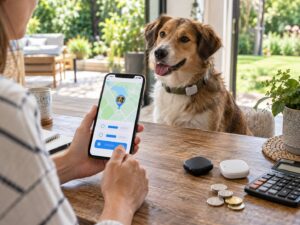
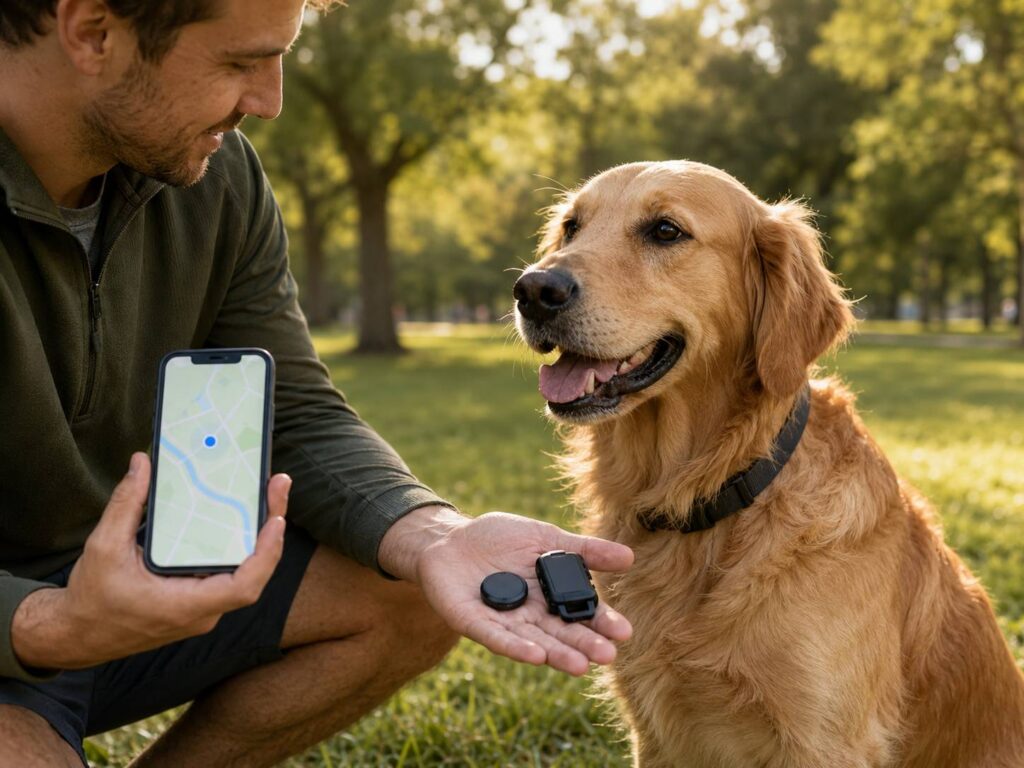
Apple Find My tags, Google Find Hub trackers, and dedicated GPS pet trackers can all show a location on a map. That makes them seem quite similar at first. In practice, they work in very different ways.
A Find My or Find Hub tag relies on nearby phones to report its location. A GPS pet tracker calculates its own position and usually sends it through a cellular connection. This difference affects everything from update speed and coverage to battery life and monthly costs.
For most dogs and outdoor cats with a real risk of escaping, a dedicated GPS pet tracker is the safer choice. Still, a small Bluetooth tag can be useful as a backup or for finding a pet close to home.
What Is a Find My or Find Hub Tracker?
Apple Find My and Google Find Hub are crowdsourced location networks. Find Hub is the current name for Google’s former Find My Device service.
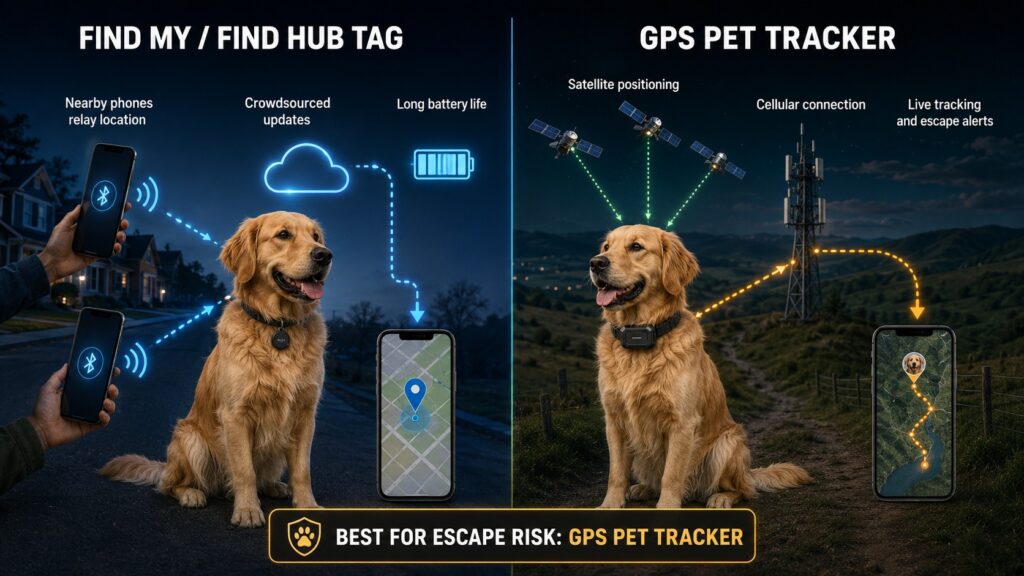
Compatible tags regularly broadcast a secure Bluetooth signal. If a nearby Apple or Android device detects that signal, it can report the tag’s approximate location to the relevant network. You can then see that location in the Find My or Find Hub app.
The key detail is easy to miss. A standard Find My or Find Hub tag does not usually have its own GPS receiver or cellular connection. It needs another compatible device to pass close enough before it can send you a new location.
That system works very well for keys, bags, bicycles, and lost luggage. Those objects often stay in one place until someone finds them. A frightened dog or roaming cat is a much harder target because it may keep moving.
Once you get close to the tag, Bluetooth and Ultra Wideband can help with the final search. Compatible phones may show the direction and distance to the tracker. You can also make many tags play a sound.
This is useful if a cat is hiding in a shed or a dog has crawled beneath a deck. It does not provide long-distance live tracking.
How Does a GPS Pet Tracker Work?
A dedicated GPS pet tracker normally combines satellite positioning with a cellular connection.
The tracker receives signals from navigation satellites and uses them to calculate its position. It then sends that location through a mobile network to the manufacturer’s app. Some models also use Wi-Fi and Bluetooth to save power or help with close-range searches.
Because the device communicates on its own, it does not need a stranger with a compatible phone nearby. It can continue reporting while the pet moves, provided it has enough battery, a usable satellite signal, and supported cellular coverage.
Most pet-specific GPS trackers also include features such as:
- Live or near-live location updates
- Virtual fences and escape alerts
- Location and route history
- Battery and connection warnings
- Family location sharing
- Activity and sleep tracking
- Built-in lights or sounds
- Wi-Fi power-saving zones
If you are comparing current devices, this guide to the Life360 Pet GPS tracker offers a useful example of how modern pet-location services combine tracking, alerts, and app-based monitoring.
Despite the name, GPS tracking is not perfectly continuous. Updates arrive at intervals, and some trackers refresh more frequently only after you activate live mode. Buildings, trees, weak mobile coverage, server delays, and phone notification settings can all affect performance.
Find My Tracker vs GPS Pet Tracker at a Glance
| Feature | Find My or Find Hub tag | GPS pet tracker |
|---|---|---|
| Main location method | Nearby devices detect its Bluetooth signal | The tracker calculates its position using satellites |
| Remote communication | Depends on a compatible phone passing nearby | Usually has its own cellular connection |
| Location updates | Irregular and dependent on nearby devices | Frequent during live-tracking mode |
| Rural performance | Often poor in areas with few people | Better if satellite and cellular signals are available |
| Indoor performance | Often useful for close-range searching | GPS reception may become weak indoors |
| Escape alerts | Usually limited or unavailable | Common through virtual fences |
| Route history | Often limited | Common, although the subscription may affect access |
| Battery life | Usually months, sometimes more than a year | Usually days or weeks |
| Ongoing cost | Normally no network subscription | Usually requires a paid plan |
| Size and weight | Small and light | Larger because of the battery and cellular hardware |
| Main purpose | Finding personal belongings | Tracking pets and monitoring movement |
Why a GPS Tracker Is Usually Better for Escaped Pets
A missing pet rarely behaves like a misplaced backpack.
A frightened dog may run across several streets in minutes. An outdoor cat might hide, move again after dark, or enter a garden that nobody visits for hours. In these situations, an old map location can send you searching in the wrong direction.
A Find My or Find Hub tag may show where someone’s phone detected your pet five minutes ago. By the time you arrive, the animal may already be somewhere else. Another update could appear quickly in a crowded city, but it might take much longer in a quiet neighborhood.
A GPS pet tracker can show a more useful trail. During live mode, frequent updates help you see which direction the animal is traveling. Route history may also reveal familiar hiding places or paths the pet has followed before.
Virtual fences are another major advantage. You can create a safe zone around your home or garden. If the tracker detects that your pet has left the area, the app sends an alert.
That early warning can make a real difference. You may start searching before the dog reaches a busy road or before a cat travels too far from home.
Still, no virtual fence works as a physical barrier. Alerts can arrive late because of signal problems or power-saving settings. Secure gates, suitable fencing, supervision, and recall training remain essential.
When a Find My or Find Hub Tag Still Makes Sense
Bluetooth network tags are not designed as full pet-safety devices. Even so, they can be useful in a few situations.
A Find My or Find Hub tag may suit you if:
- Your pet stays indoors most of the time.
- You mainly want to search inside the house or garden.
- You live in a busy area with many compatible phones nearby.
- A full GPS tracker is too large or heavy for your pet.
- You want long battery life without a monthly payment.
- You already use a GPS tracker and want a simple backup.
An indoor cat is a good example. GPS may struggle to establish an accurate position inside a building. Meanwhile, a Bluetooth tag can help you search room by room, play a sound, or use directional finding when supported.
A network tag can also provide a helpful last-seen location. Just keep in mind that “last seen” does not mean “currently here.”
City and Rural Coverage Can Be Very Different
Crowdsourced tracker networks perform best where many compatible devices circulate throughout the day.
Apartment buildings, shopping areas, public transport, and busy residential streets create more chances for a tag to be detected. If your pet passes close to several participating phones, you may receive frequent updates.
The experience can change quickly outside populated areas. A tag in a forest, field, industrial zone, or quiet village may go undetected for a long time. Even if people are nearby, their phones may not participate in the network or may use more restrictive reporting settings.
GPS pet trackers face a different problem. They can receive satellite signals far from other people, but they normally need mobile coverage to send the location to your phone.
A tracker may know where it is but remain unable to upload that position. Once it reconnects, the app may show stored locations, depending on the model.
Before buying, check cellular coverage for the places where your pet actually spends time. Also check international support if you plan to travel. A product labeled “GPS” does not automatically provide worldwide tracking.
Battery Life Is a Clear Trade-Off
Find My and Find Hub tags use very little power. They send small Bluetooth signals and depend on nearby devices to handle location reporting.
Apple’s current AirTag uses a replaceable CR2032 battery and can run for more than a year under normal conditions. Battery arrangements differ across Find Hub trackers. Some use replaceable coin cells, while others have rechargeable batteries.
A GPS pet tracker needs much more energy. It receives satellite signals, connects to a mobile network, and uploads location data. Live tracking increases that power use because the tracker sends updates more often.
Manufacturers may advertise anything from several days to several weeks of use. Your results will depend on:
- Tracking frequency
- Time spent in live mode
- Cellular signal strength
- Wi-Fi power-saving features
- Temperature
- Battery age
- The pet’s activity level
A long advertised battery estimate may assume that the pet spends most of its time inside a recognized Wi-Fi zone. The same tracker can drain much faster during a long outdoor search.
It helps to build charging into your weekly routine. Also turn on low-battery alerts. A tracker sitting at 3 percent charge will not offer much protection during an unexpected escape.
Upfront Price Versus Subscription Cost
A Find My or Find Hub tag usually costs less over its lifetime. You buy the tracker, add a secure collar holder, and replace or recharge the battery when needed. Access to the crowdsourced network normally does not require a monthly payment.
GPS pet trackers tend to cost more because most need an active subscription. That fee covers cellular data, app access, servers, and the manufacturer’s location service.
Plans may renew monthly, yearly, or through a multi-year agreement. Before choosing one, check the full amount charged at checkout rather than only the advertised monthly equivalent.
You should also check which features require a higher-tier plan. Depending on the company, family sharing, worldwide roaming, extended location history, and data exports may not be included in the basic subscription.
If you cancel, the device may lose remote tracking because its cellular connection stops working. Bluetooth features might remain available, but that varies between products.
For an indoor pet, the extra cost may feel unnecessary. For a dog that regularly runs through open gates, quicker updates and escape notifications can easily justify it.
Compatibility Is More Complicated Than It Looks
AirTag belongs to Apple’s Find My system and requires a compatible Apple device for setup. Find Hub tags are made for Android, but compatibility still depends on the phone, tracker, operating system, and region.
Ultra Wideband adds another layer of confusion. Both the phone and the tracker need compatible UWB hardware and software. If one side lacks support, the tag may still work, but you will only receive standard Bluetooth proximity tools.
Some manufacturers sell separate Apple and Google versions that look almost identical. Others offer trackers that support both ecosystems but can connect to only one network at a time.
Check the exact model number before buying. Do not rely only on the product photo or a vague description such as “compatible with all phones.”
Recent improvements to AirTag and Find Hub have made close-range finding better. They have also expanded the number of supported products. Yet a newer Bluetooth tag still does not become a true GPS pet tracker simply because its map looks more detailed.
Privacy and Unwanted-Tracking Alerts
Apple and Google use encrypted reporting and other protections to reduce unwanted tracking. A phone can warn someone if an unfamiliar compatible tag appears to be traveling with them over time.
These protections are necessary, but they can complicate pet recovery. Someone who finds or takes your pet may receive an unknown-tracker warning. A separated tag may also begin playing a sound.
Because of that, an AirTag or Find Hub tag should not be treated as a hidden theft-recovery device. The person carrying it may eventually learn that it is there.
GPS pet trackers raise a different set of privacy questions. The manufacturer’s app may process your pet’s location history, activity data, account details, and shared access permissions.
Before creating an account, review the provider’s privacy controls and data-retention terms. Use a unique password. If two-factor authentication is available, turn it on. Also remove access for former walkers, sitters, or family members who no longer need to see the pet’s location.
Collar Fit, Water Resistance, and Chewing Safety
Even the best tracker becomes a problem if it is uncomfortable or poorly attached.
Check the total weight of the tracker, holder, and collar. The mounting accessory can add more weight than expected, especially on a small cat or toy-breed dog.
The device should sit securely without swinging, pressing into the throat, or interfering with eating and sleeping. Check the attachment regularly because clips and silicone holders can stretch over time.
Cats usually need a suitable breakaway collar to reduce the risk of getting caught on branches, fences, or furniture. The collar may detach during an escape, but preventing strangulation matters more than keeping the tracker attached.
Water resistance also deserves a close look. Current AirTag models have an IP67 rating under controlled conditions. Many GPS pet trackers carry IP67 or IP68 ratings, but the exact protection varies.
Water resistance does not automatically mean chew resistance. It also may not cover repeated saltwater exposure, high-pressure washing, or a damaged casing.
Coin-cell batteries can be dangerous if swallowed. If you attach this type of tracker to a collar, use a strong holder that fully covers the battery compartment. Replace the holder if your pet can bite, crack, or open it.
A Tracker Does Not Replace an ID Tag or Microchip
Electronic trackers can lose power, fall off, lose coverage, or develop a fault. Your pet still needs traditional identification.
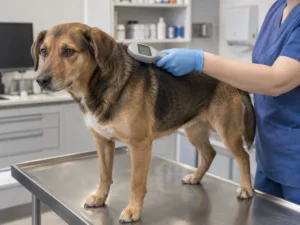
A visible ID tag allows a neighbor to call you immediately. A registered microchip provides permanent identification if a shelter or veterinary clinic scans the animal.
A microchip does not contain GPS and cannot show your pet’s location. It only stores an identification number linked to a registry. Keep your phone number and address current in that registry.
For a pet with a high escape risk, a sensible setup includes:
- A properly fitted collar or harness
- A clear ID tag with current contact details
- A registered microchip
- A charged GPS pet tracker
- An optional Find My or Find Hub tag if the extra size remains safe
Which Type of Pet Tracker Should You Choose?
Choose a dedicated GPS pet tracker if your dog runs off, your cat roams outdoors, or you want escape alerts. It is also the better choice for hiking, rural properties, holidays, and pets cared for by walkers or sitters.
Choose a Find My or Find Hub tag if you mainly need help finding a pet around the house, garden, or immediate neighborhood. It offers long battery life and normally avoids subscription fees. Just accept that updates may be irregular.
If you can buy only one device for a pet with a genuine escape risk, choose GPS. A crowdsourced Bluetooth tag may help, especially in a busy city, but it cannot provide the same level of movement tracking.
Whichever option you choose, test it before relying on it. Walk around the neighborhood, check how quickly updates appear, trigger the sound, and confirm that family members can access the location. It is much better to find a problem during a practice run than during a real search.