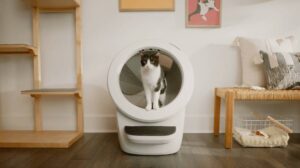
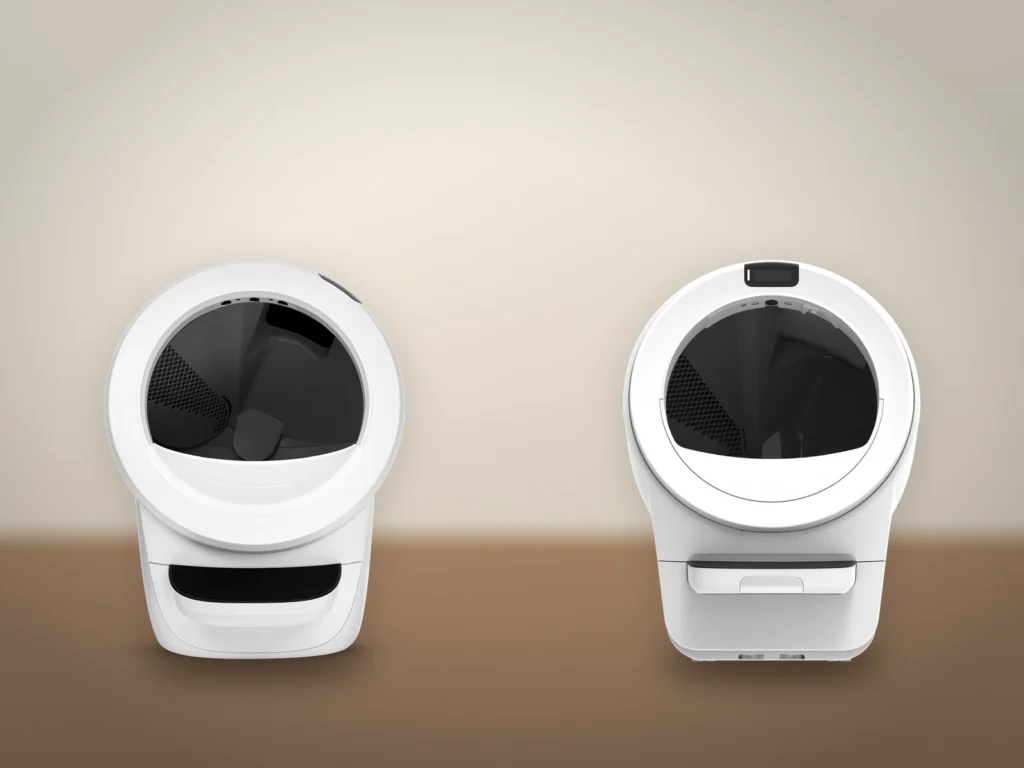
Whisker’s way to get your cat to use a Litter-Robot 4 or Litter-Robot 5 starts with the robot switched off, and for the first days you cycle it by hand while the cat watches. Whisker says most cats begin using it within a few days to a week, and each early visit costs you about ten minutes. The risk to manage is a startled cat, which the American Association of Feline Practitioners (AAFP) and the International Society of Feline Medicine (ISFM) list among the causes of house-soiling. At that first supervised cycle the two generations differ, because switching on a Litter-Robot 4 starts one by itself and a Litter-Robot 5 waits for its “Cycle” button.
Before you start
- Room for both boxes side by side where the old box stands now, and a gap between the robot and every wall. A robot touching a wall throws off its weight sensors, says the Litter-Robot 4 manual.
- A firm, level floor for a Litter-Robot 4, or Whisker’s Carpet Tray if it has to stand on carpet. A Litter-Robot 5 has a carpet tray built in.
- Your cat’s current clumping litter. Both Whisker manuals advise against changing box and litter at once, because a new litter may add to the cat’s anxiety. A non-clumping litter has to go, since the robot sifts out clumps.
- A scoop of used litter from the old box, and treats or catnip.
- Each cat’s weight, for the step that switches on Automatic Mode.
- The Whisker app, if you want the visit log and the app settings. The transition itself runs from the buttons.
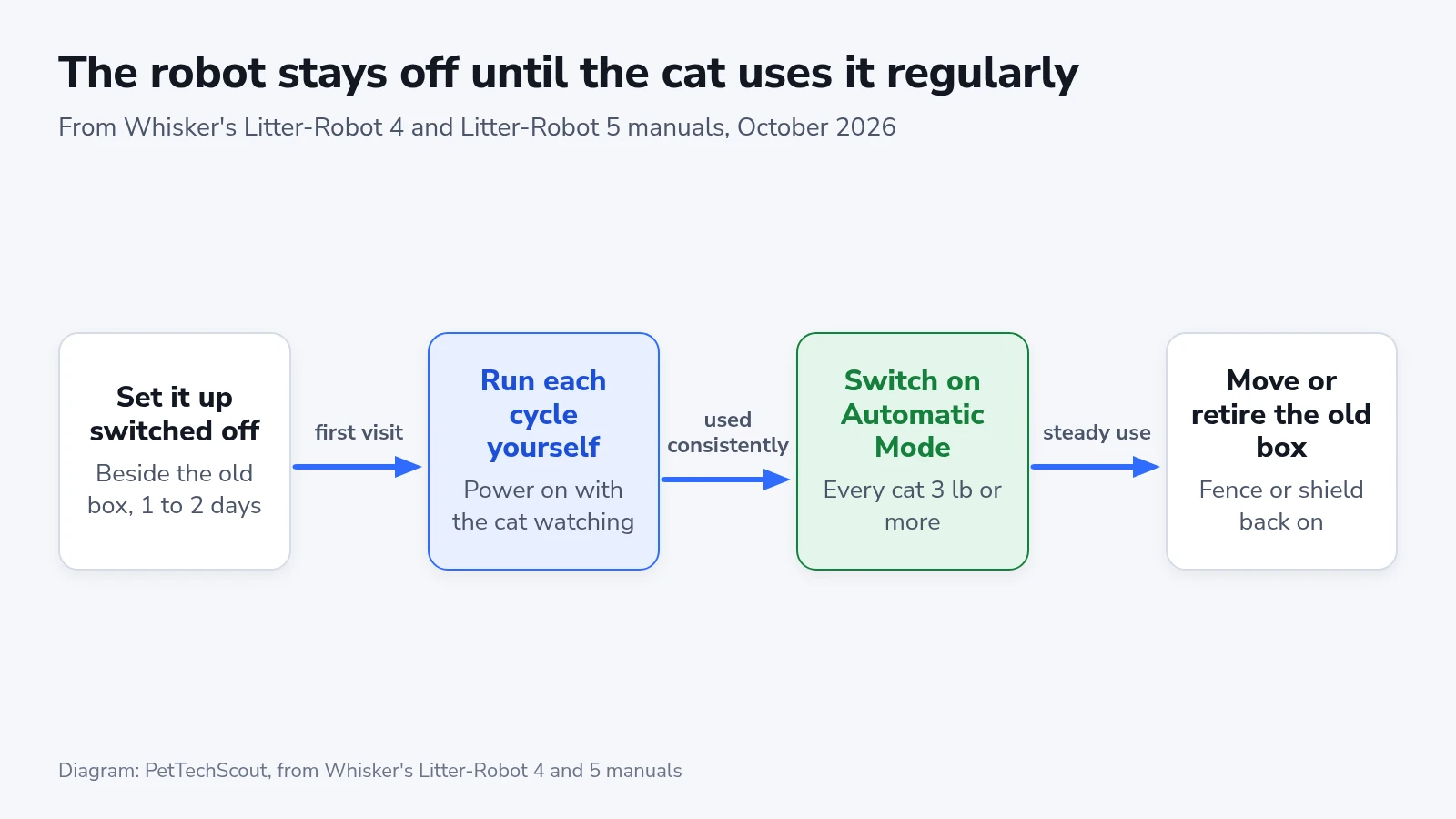
Set it up switched off
- Place the robot where the old box stands, and put the old box right next to it.
- Pour the clumping litter into the globe up to the raised MAX fill line, spread flat. That takes about a gallon.
- Mix in a scoop of litter from the old box.
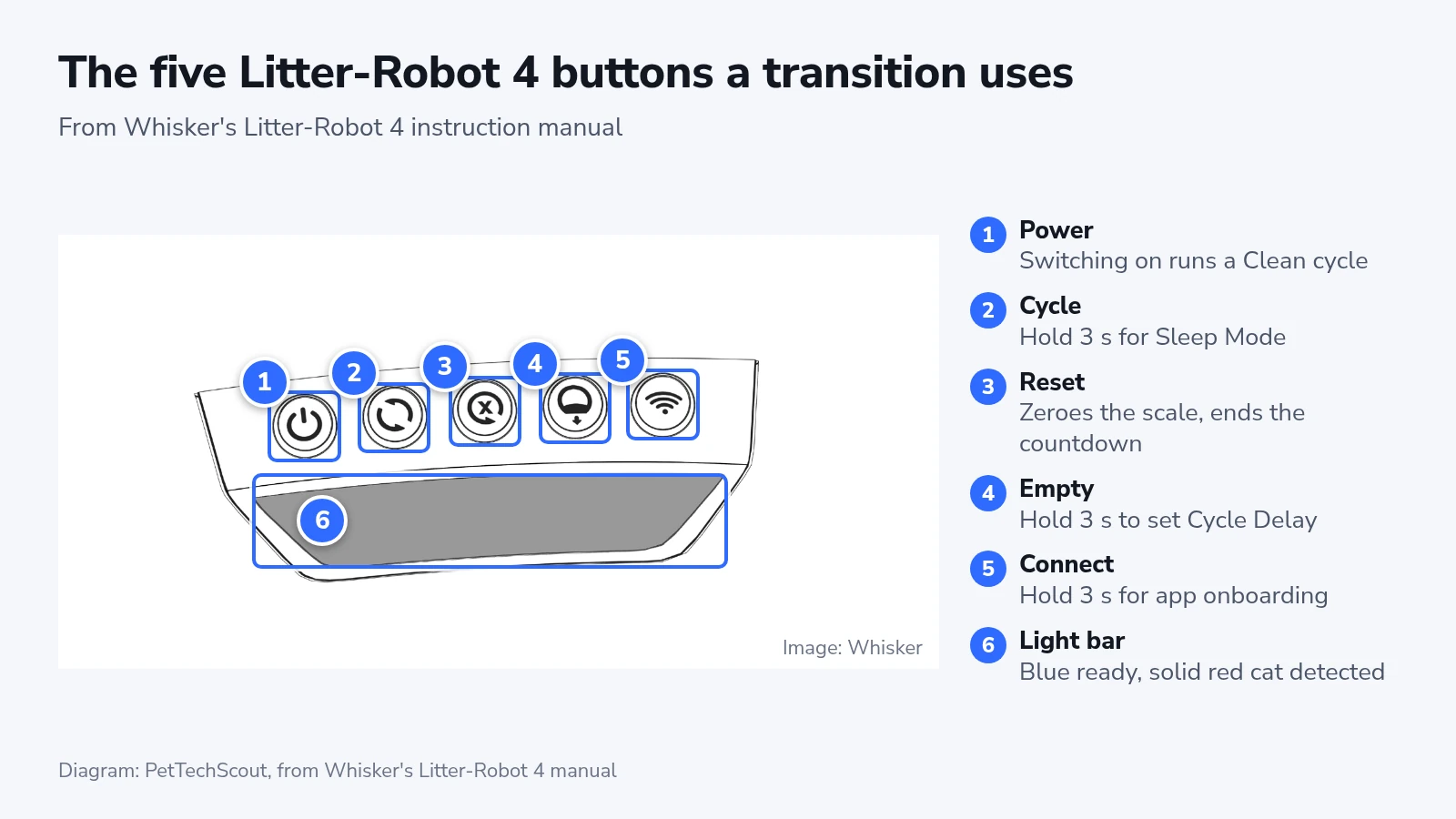
- Take the cat out of the room, plug in the power supply and press “Power”.
- Switch the robot off once the globe has stopped at Home. On a Litter-Robot 4, hold Power for 3 seconds. On a 5, press it once.
- Take off the fence or shield if your robot came with one.
On a Litter-Robot 4, that first press of Power starts a 2-minute Clean cycle. The manual notes that the weight scale is disabled during this power-up cycle, so that it can zero itself once the globe is back at Home. That is why the cat waits in another room. The 5 lights up solid white and stays still.
Then give the cat a day or two to sniff, climb in and leave. If it shows no interest, put catnip or a favorite treat on the step or the handle.
Run each cycle yourself
The robot stays off between visits, and you start each Clean cycle once the cat has finished. Whisker calls this semi-automatic mode.
- Wait until the cat has used the robot and stepped out of the globe.
- Give the waste about 7 minutes to clump. The Litter-Robot 5 manual names that wait, and it is also the default Cycle Delay on both robots.
- Call the cat over, or wait until it is nearby, so it can watch from outside the globe.
- On a Litter-Robot 4, press Power and nothing else. On a Litter-Robot 5, press Power, then Cycle.
- Stay while the globe turns, and talk to the cat calmly.
- Switch the robot off when the globe is back at Home.
- Clean the old box less often from here on.
While a Litter-Robot 4 cycles, a single yellow light travels along the light bar with the globe.
Whisker’s Litter-Robot 4 setup page says to turn the robot on and press the Cycle button. The manual, and the button list further down that same page, say that switching on already starts a Clean cycle. The manual adds that any button pressed during a cycle pauses it. So a press of Cycle while that cycle runs stops the globe with a solid yellow light bar, and a second press sets it going again. The Litter-Robot 5 pages describe no cycle at power-up, only the solid white light, so on the 5 the Cycle button is what starts it.
The Litter-Robot 4 manual says to stop cleaning the old box once the cat has used the robot, and the Litter-Robot 5 manual says to clean it less and less. Both rest on the same point, that cats prefer a clean place to go. Watch the floor around both boxes while the old one gets dirtier. The AAFP and ISFM guide on house-soiling says cats need enough unsoiled places to go, especially in a home with several cats.
Switch on Automatic Mode
Whisker’s signal for this stage is a cat that uses the robot consistently. An old box that stays clean while the robot keeps collecting clumps shows it.
- Check that every cat in the house weighs at least 3 lb. Lighter cats may not activate the cat sensing, and the manual’s caution is to keep the robot off and cycle by hand until all of them are heavy enough.
- For a nervous cat, set a longer Cycle Delay. On a Litter-Robot 4, use the panel or the Whisker app (select the robot, then tap the “Settings” gear > “Cycle Delay”). On a Litter-Robot 5, the setting is only in the app, under the Settings gear on the device card.
- Switch the robot on and leave it on. The 4’s light bar turns solid blue, and the 5’s light turns solid white.
- Stay nearby for the first automatic cycle and let the cat watch from a distance.
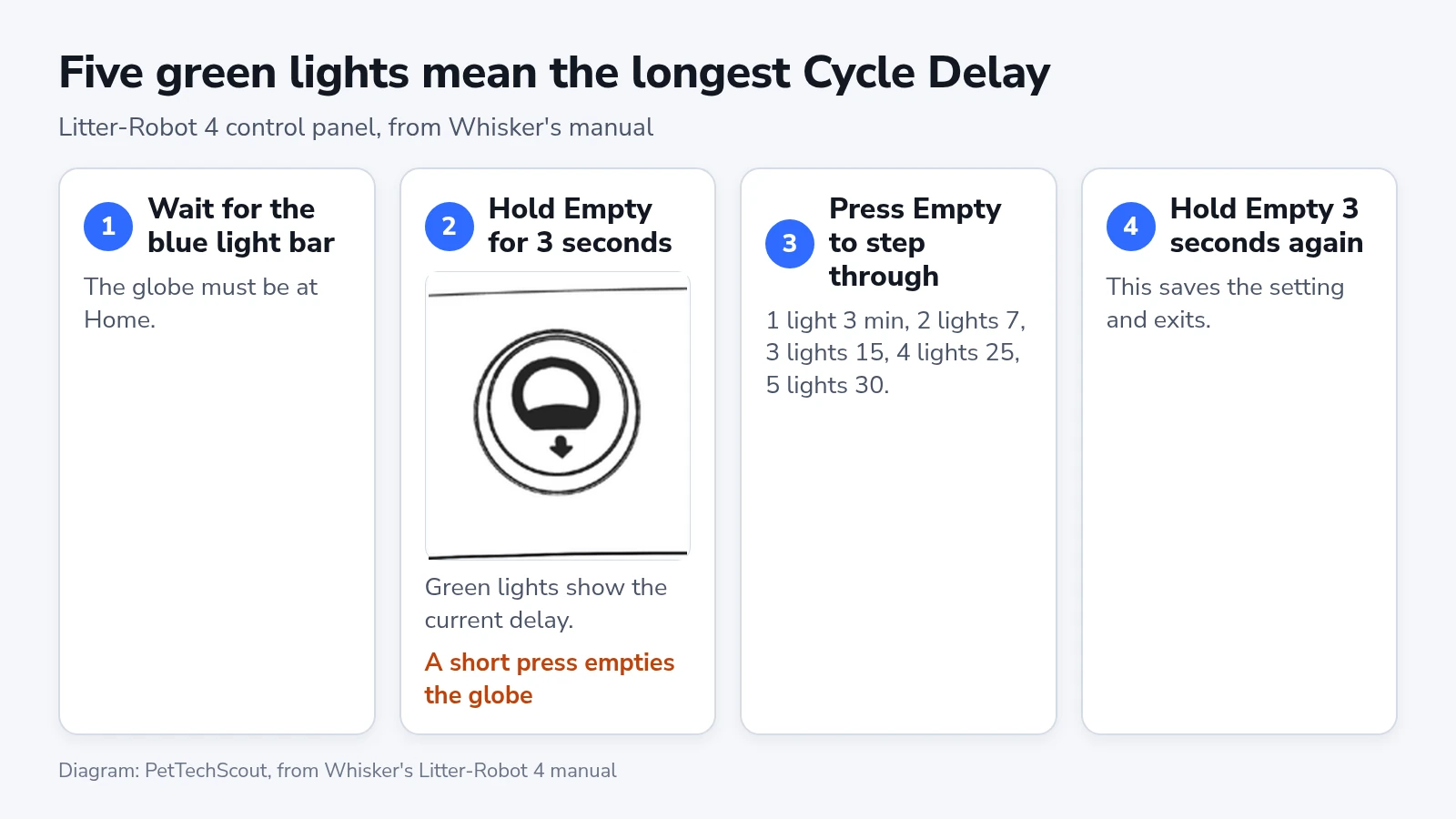
The app accepts any delay from 3 to 30 minutes, where the 4’s panel steps through five fixed ones. Hold “Empty” for the full 3 seconds, because a short press at Home starts an Empty cycle that tips the whole litter bed into the drawer. If that happens, press “Reset” twice. The first press pauses the globe and the second sends it back to Home.
On a Litter-Robot 5, stool can start a Clean cycle well before the Cycle Delay runs out. Its manual says the cycle begins about 30 seconds to a minute after stool is detected, and that you can still set the longest delay for a skittish cat.
Once the nervous cat has settled, the delay can come down again. Whisker suggests 3 minutes in a home with several cats, so each one finds a clean bed. For a cat with urinary trouble, diarrhea, kidney disease or diabetes, it suggests 15 minutes or more, because those clumps need longer to set.
Move or retire the old box
Whisker’s instructions end with removing the old box once the robot runs on its own. Keep it instead, in another room. The AAFP and ISFM rule of thumb is one box per cat plus one extra, spread around the home, and their guide says cats treat boxes standing close together as one large box. By that count a single cat needs the robot and the old box, and two cats need the robot and two ordinary boxes. A cat with kidney disease needs more, at least two trays of its own under International Cat Care’s kidney disease guidelines, and a self-cleaning box counts once.
Move the old box to a room or floor the cat already uses. In a home with stairs, the same guide advises a box on each level, and for an older cat one on the floor where it spends most of its time. Put the fence or shield back on the robot when the cat goes in without hesitating.
Litter-Robot 4 and 5: where the steps differ
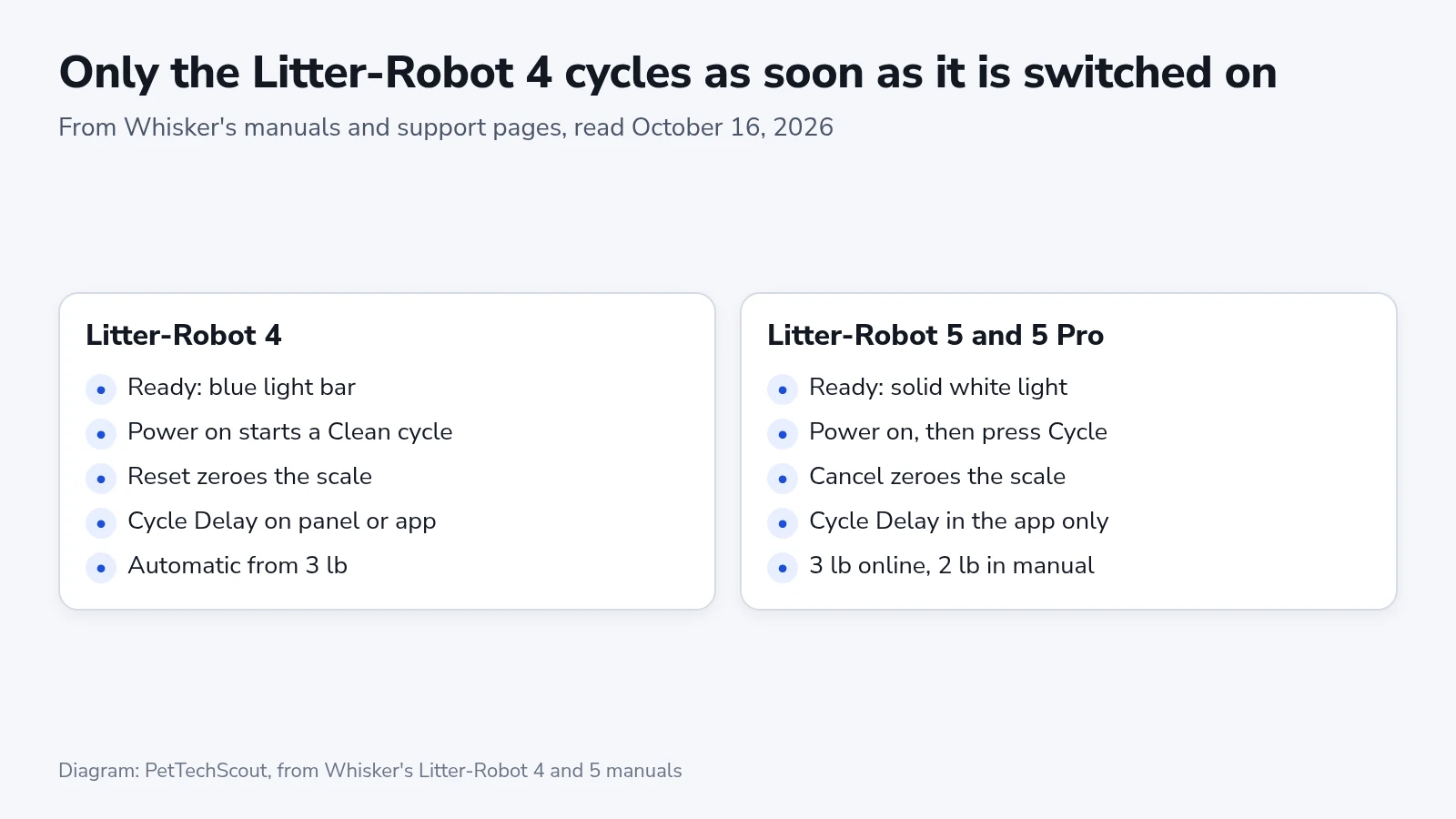
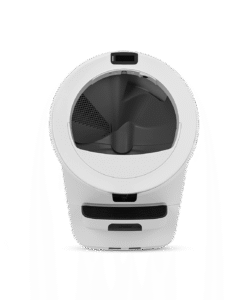
The Litter-Robot 5 swaps Reset for a “Cancel” button, which zeroes its scale at Home, and it shows messages on an LCD screen on top of the bezel. Its single status light is solid white when ready and blinks green while it counts down after a visit or runs a cycle. The 4 has no screen and shows its states on the light bar. The 5 can also stand on carpet without an accessory.
Whisker’s Litter-Robot 5 manual puts the weight floor at 2 lb, while its getting-started and troubleshooting pages say 3 lb, so go by the higher one until they agree. The Litter-Robot 5 Pro adds two cameras. Recorded events and limited live video are free in the Whisker app, and telling cats apart by face needs a Whisker+ membership.
If the cat still avoids it
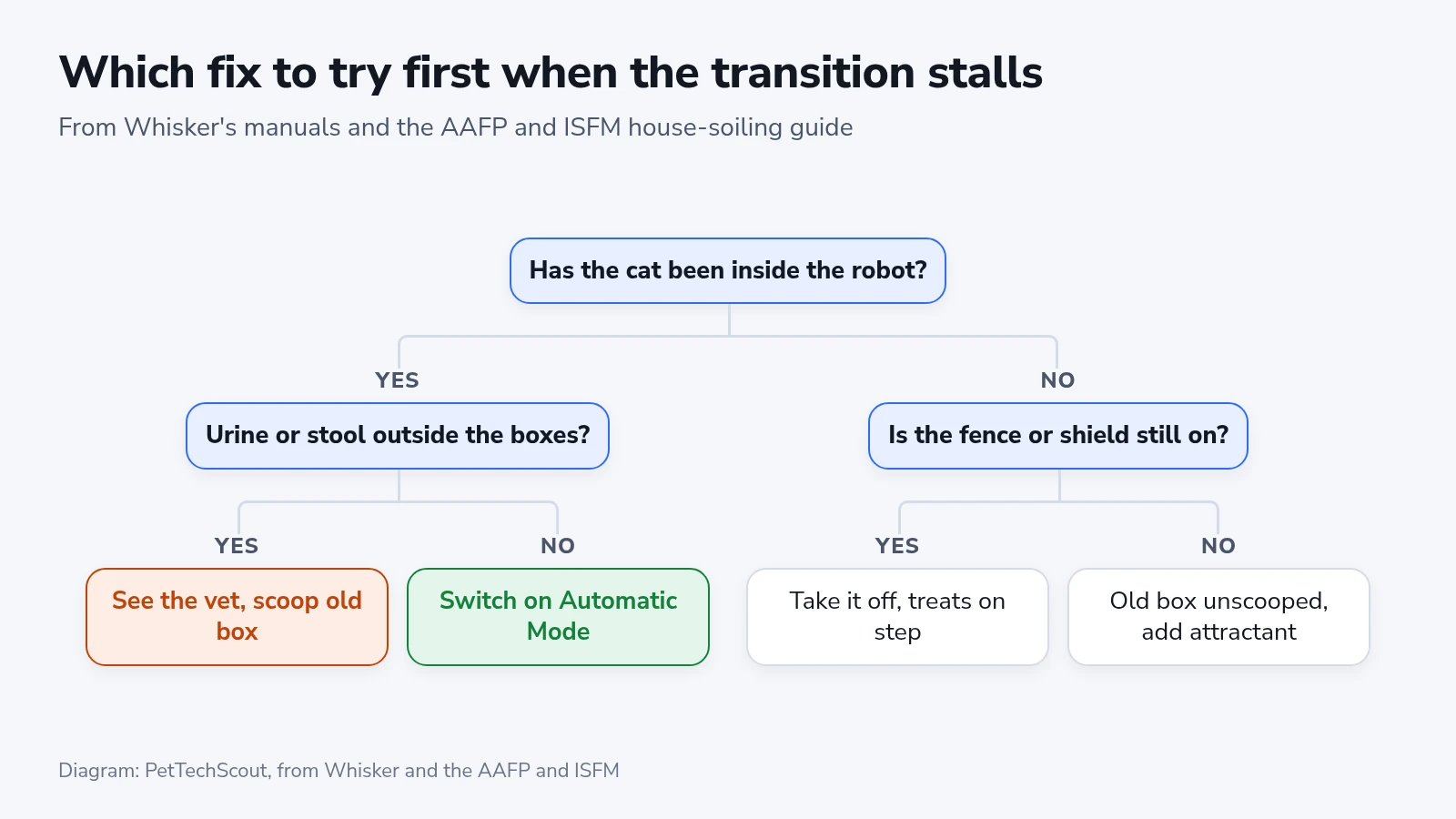
If the cat will not go in at all, start with what it sees. Take off the fence or shield, put treats on the step, and add Whisker’s ramp for an older or stiff cat. A litter attractant comes next, and Whisker says a few cups have been enough in many homes. Never lift the cat into the globe, because the safety instructions in both manuals rule out forcing a cat into the robot.
When the cat uses the robot and no cycle follows in Automatic Mode, read the Litter-Robot 4’s light bar. Solid red means it detected a cat and is counting down, so wait out the delay. Solid purple means Sleep Mode, which a 3-second hold of Cycle switches off. Red and blue alternating asks you to clean the three curtain sensors, so wipe the bezel and the sensor holes with a dry cloth. Flashing blue means the drawer is full, and after a third full reading the robot stops cycling on its own until you empty it and press Reset.
Blue with two flashing yellow lights means the scale has read weight for more than 30 minutes. Remove litter above the fill line, move the robot off any carpet, mat, cord or grout line and away from walls, then press Reset twice at Home. A cat below the weight floor does not register at all. On a 5, the LCD screen shows the alert instead, such as “Extended Scale Activity”.
Urine or stool outside both boxes means going back a stage. Scoop the old box again and run the cycles by hand. The AAFP and ISFM guide says every cat that starts soiling outside its box needs a physical exam and a urine test, since infections, cystitis, arthritis, kidney problems and diabetes can all cause it. It also says never to punish the cat for it.
If the cat still refuses, Whisker’s 90-day in-home trial covers robots bought from Whisker. You get the purchase price back and pay the return shipping, after Customer Experience issues a return authorization. A robot bought elsewhere follows that store’s return policy. Whisker puts the share of cats that adjust at over 95 percent, a figure it takes from the reasons customers gave for Litter-Robot 3 and 4 returns over one year.
Checking that every cat has switched
The Whisker app shows whether each cat has made the move. Give every cat a profile under “Pets” with its current weight. SmartScale uses those weights to assign each visit to a cat and needs up to 7 days to learn them. Some visits may show as “Unknown” during that week. After it, open the robot’s activity and check that each cat has visits of its own. SmartScale cannot tell apart two cats within a pound of each other. On a 5 Pro, the camera’s event recordings show who went in.
After you empty the drawer, add litter or move the robot, press Reset on the 4 or Cancel on the 5 to zero the scale. When a new cat or kitten arrives, go back to running each cycle yourself until it passes the weight floor, because the manual’s caution covers every cat in the house.